
This manual describes how to use Nokia 7110 with Dial-Up Networking.
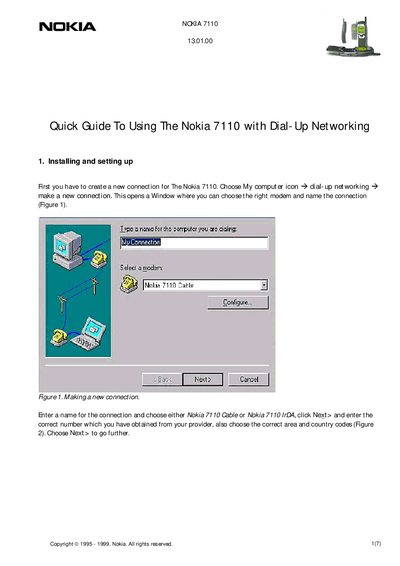
This guide walks you through creating a new Dial‑Up Networking connection for the Nokia 7110, selecting the appropriate modem (cable or IrDA), entering phone numbers, area and country codes, and configuring TCP/IP settings received from your ISP.
It also explains how to make the connection, save your username and password, enable higher data rates (e.g., 14.4 Kb/s), and provides legal notices about the document’s usage.
| Maximum data rate | 14.4 Kb/s |
|---|---|
| Established connection speed | 9.600 bps |
Open My Computer → Dial‑Up Networking → make a new connection, choose the Nokia 7110 Cable or IrDA, enter the phone number and area/country codes, then click Finish.
Enter the command +CBST=14 in the extra settings to enable 14.4 Kb/s data.
Yes, when you open the connection you can check the "Save password" option to store it for later use.