
This is a preliminary specification for “PoE extender over coax” solution. By using our novel RF technology, you can extend the transmission distance of power and Ethernet signal up to 200~300m / 600ft~900ft over coaxial cable.
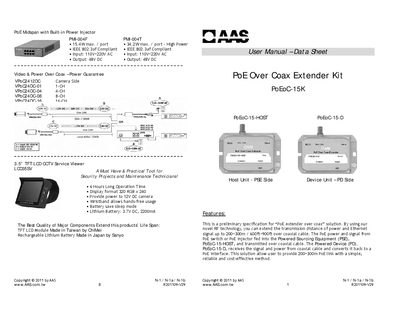
The PoE Over Coax Extender Kit (model PoEoC-15K) from AAS extends Ethernet and power over coaxial cable up to 300 m (900 ft). It consists of a Host unit (PSE side) and a Device unit (PD side) that convert PoE signals to and from coaxial cable, allowing PoE‑enabled cameras or other devices to be placed far from the switch.
The manual includes a packing list, safety cautions, detailed installation instructions, LED status indicators, technical specifications, and a troubleshooting guide. It also lists related products and warranty information.
| Kit Model | PoEoC-15K |
|---|---|
| Host Unit Model | PoEoC-15-HOST |
| Device Unit Model | PoEoC-15-D |
| Data + Power Port (Host) | 1x RJ‑45 female connector |
| Data + Power Port (Device) | 1x RJ‑45 female connector |
| Interface Data + Power Port (Host) | 1x Female BNC |
| Interface Data + Power Port (Device) | 1x Female BNC |
| Cable Type | RG11 / RG5S video‑grade coaxial cable |
| Standard | IEEE 802.3af |
| Speed | 10/100 Mbps full‑duplex |
| Powered by PoE | Yes |
| Input Voltage (Host) | 42–57 V DC @ RJ45 |
| Output Voltage (Host) | 40–56 V DC @ BNC |
| Operating Temperature | -10 °C ~ 46 °C |
| Enclosure Material | Aluminum alloy |
| Dimensions | 112 × 31.5 × 72 mm |
First plug the PoEoC-15-D network connector into the Ethernet port of your IP camera, then connect a coaxial cable between the PoEoC-15-HOST and PoEoC-15-D, and finally connect the PoEoC-15-HOST Ethernet cable to a PoE Ethernet switch or injector.
A solid green LED shows that the unit has a proper connection to the power supply.