
MC-20 is a remote shutter release line produced by Nikon company, which can be connected to F5, F100, F90X, F90 series, D2H, D1 series and D100 cameras for remote shooting. It has three shooting modes: normal mode, long exposure mode and timing mode.
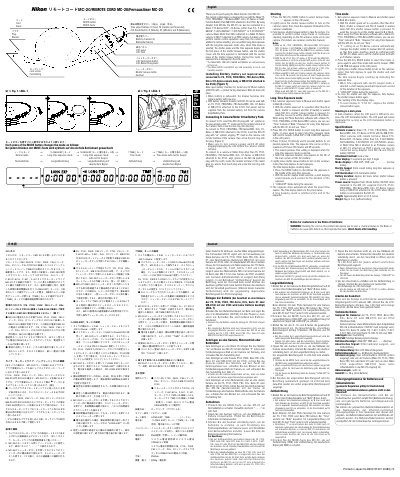
This manual describes how to install the CR2032 battery, connect the MC-20 to supported Nikon cameras and motor drives, and operate the remote shutter. It covers normal shooting, long‑time exposure, and time‑exposure modes, including use of the LCD display and illumination button.
Technical specifications such as compatible camera models, timer display format, battery life, power source, dimensions, and weight are listed, along with safety and disposal information for the lithium battery.
| Suitable cameras | Nikon F5, F100, F90X/N90s, F90‑Series/N90, D2 H, D1‑Series or D100 with MB‑D100 |
|---|---|
| Attachment method | Lock screw |
| Timer display | 7‑segments per digit, 5 digits |
| Mode display | LONG EXP, TIME and - - - - - (normal) |
| Electric beeper | Emits sound during long‑time exposure or time mode |
| LCD illumination | Press LCD illumination button to light panel |
| Battery duration | Approx. 80 hours |
| Power source | Lithium battery CR2032 or camera power |
| Length | Approximately 80 cm (31.5 inches) |
| Weight | 56 g (2 oz) without battery |
Slide open the battery chamber lid, insert a 3 V CR2032 lithium battery with the plus sign facing down, and close the lid.
Press the MODE button until "LONG EXP" appears, set the desired exposure time with the H, M and S buttons, then press the shutter release button to start the exposure.
The battery provides about 80 hours of operation when the shutter release button is pressed.
Press and hold the LCD illumination button; the LCD panel will stay illuminated while the button is held.