
This document introduces the Universal USB to Analog Interface EA-UT 12 A. It is suitable for series EA-PS 3000B, EA-PS 9000 and can be used to monitor and control current and voltage of all power supplies with an 0.10V analogue interface via a PC and to set the parameter.
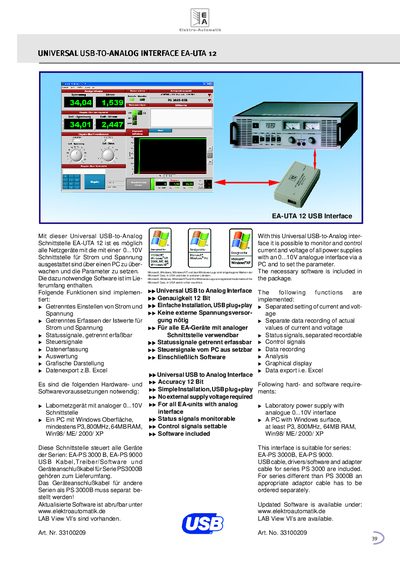
The EA-UTA 12 provides a USB plug‑and‑play solution to monitor and control the current and voltage of laboratory power supplies that have a 0…10 V analog interface. It offers separate setting and recording of current and voltage, status‑signal monitoring, control‑signal output, data recording, analysis, graphical display and Excel export.
The interface requires a laboratory power supply with an analog 0…10 V output and a PC running Windows (Win98/ME/2000/XP) with at least a P3 800 MHz CPU and 64 MB RAM. The package includes the USB cable, drivers/software, and an adapter cable for the EA‑PS 3000B series; other series need a separate adapter. Updated software and LabVIEW VIs are available from www.elektroautomatik.de. This manual is written in German.
| Accuracy | 12 Bit |
|---|---|
| Installation | USB plug‑and‑play |
| External Power Supply | Not required |
| Supported Devices | All EA units with analog interface |
| Status Signals | Monitorable separately |
| Control Signals | Settable from PC |
A PC with Windows (Win98/ME/2000/XP), at least a P3 800 MHz processor and 64 MB RAM is required.
The interface works with the EA‑PS 3000B and EA‑PS 9000 series.
No external supply voltage is required for the EA‑UTA 12.
Updated software is available at www.elektroautomatik.de.