
RM-868 is a 2.4G RF remote control that supports Windows 2000/XP/Vita/7 systems. It can control PC and TV devices at the same time through infrared and RF functions, and is also equipped with a finger touch slim sensor with mouse keys and MCE hot keys.
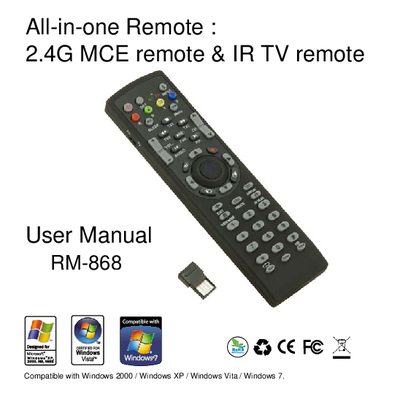
The RM-868 is an all‑in‑one remote that combines 2.4 GHz RF for PC control and IR for TV control in a single device. It includes a finger‑touch sensor, mouse keys, multimedia keys, and programmable hot‑keys. The manual explains how to install the nano receiver, insert batteries, and switch between RF and IR modes.
The guide details TV code setup (manual entry or auto‑search), battery‑low indication, troubleshooting steps for both RF and IR operation, and FCC compliance information. It also lists the supported operating systems for the RF PC mode and provides safety warnings.
| RF Frequency | 2.4 GHz |
|---|---|
| Battery type | 2 × AAA |
| RF working distance | ≈ 10 m |
| ID setting distance | ≤ 30 cm |
| Maximum TV code sets | 3 |
Press and hold the “Set” key for 5 seconds until the LED lights up, then enter the three‑digit TV code; the LED will turn off when the code is correct.
Replace the two AAA batteries in the remote’s battery compartment.
Use the RF and IR switch mode key on the remote to toggle between PC (RF) and TV (IR) operation.