
Cosigraph II is an easy-to-use software to collect and display measurement values on a normal Windows PC in conjunction with common used digital multimeter or measuring instruments for measuring physical values. Due to the comfortable interface the usage is very easy. After importing the data they are displayed in a table and can be exported in CSV and TXT format for further analysis. To display the measuring values as a graph the powerful Cosigraph II offers a variety of graph choices which allows the user to display the graph representation of the measurement values as needed.
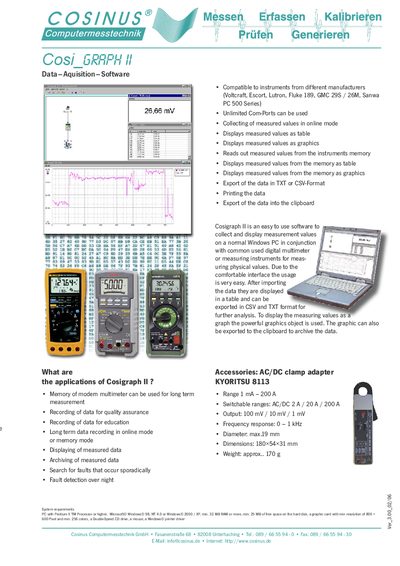
The Cosi_GRAPH II software provides an easy‑to‑use interface for collecting measurement values from a variety of digital multimeters and other measuring instruments. Data can be captured in real‑time (online mode) or read from the instrument’s memory, then shown as tables or graphics on a Windows PC.
The program supports export to TXT or CSV files, printing, and copying graphics to the clipboard. It runs on PCs with a Pentium II or higher processor, Windows 98/NT 4.0/2000/XP, at least 32 MB RAM, a CD‑ROM drive and a graphics card of 800 × 600 resolution with 256 colours. This manual is written in German.
| Current range | 1 mA – 200 A |
|---|---|
| Switchable ranges | AC/DC 2 A / 20 A / 200 A |
| Output voltage | 100 mV / 10 mV / 1 mV |
| Frequency response | 0 – 1 kHz |
| Cable diameter | max. 19 mm |
| Dimensions | 180 × 54 × 31 mm |
| Weight | ≈ 170 g |
It can use multimeter memory for long‑term measurement, record data for quality assurance or education, perform online or memory‑mode recording, display and archive data, search for sporadic faults and detect overnight faults.
A PC with a Pentium II or higher processor, Windows 98/NT 4.0/2000/XP, at least 32 MB RAM, 25 MB free disk space, a graphics card with 800 × 600 resolution and 256 colours, a double‑speed CD drive, mouse and a Windows printer driver.
The software works with instruments from Voltcraft, Escort, Lutron, Fluke 189, GMC 29S/26M, and Sanwa PC 500 series.
Data can be saved as TXT or CSV files, printed, or copied to the clipboard; graphics can also be exported to the clipboard for archiving.