
The DDM 4 is a low-power 4-digit data display module that usually operates under microprocessor control. Inputs are CMOS and TTL compatible. Using three inputs; Clock, Data In and Load, it is possible to individually address each LCD segment, permitting 0 to 9 and A to F to be displayed plus any other combination of the segments.
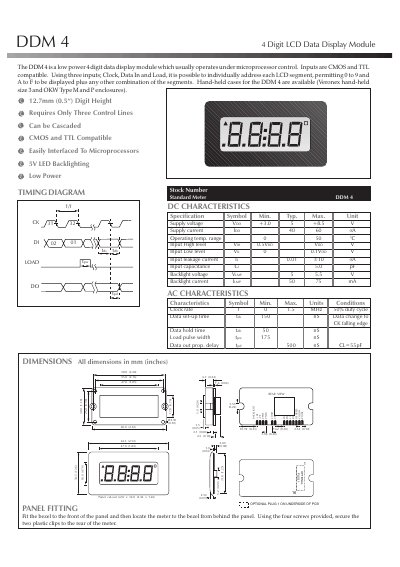
The DDM 4 is a low‑power 4‑digit LCD data display module designed for microprocessor control. It accepts CMOS and TTL compatible inputs and uses three control lines—Clock, Data In and Load—to address each LCD segment, allowing display of 0‑9, A‑F and custom segment combinations. The module features a 5 V LED backlight, can be cascaded, and is suitable for hand‑held devices and industrial applications.
This manual includes mechanical dimensions, electrical specifications, timing diagrams, pin definitions, and wiring instructions. It explains how to connect the module, cascade multiple units, and operate the display, with detailed tables for supply voltage, current, temperature range, and signal timing.
| Supply voltage | 3.0 V – 8.5 V (typical 5 V) |
|---|---|
| Supply current | 40 µA – 60 µA |
| Operating temperature range | 0 °C – 50 °C |
| Input high level | 0.5 V |
| Input low level | 0 V – 0.1 V |
| Backlight voltage | 5 V – 5.5 V |
| Clock rate | 0 Hz – 1.5 MHz (50 % duty) |
| Data set‑up time | 150 ns |
It operates from 3.0 V to 8.5 V, with a typical supply of 5 V.
Three control lines—Clock, Data In and Load—are required.
Connect the DO output of one module to the DI input of the next; each module drives its own display.