
The KB300 keyboard is used to control cameras with built-in pan-tilt and zoom lenses, such as the SONY EVI series. It features an LCD display, proportional joystick, keyboard lock, and supports RS485 and RS232 control signals. It can be used as a main control or sub-control keyboard.
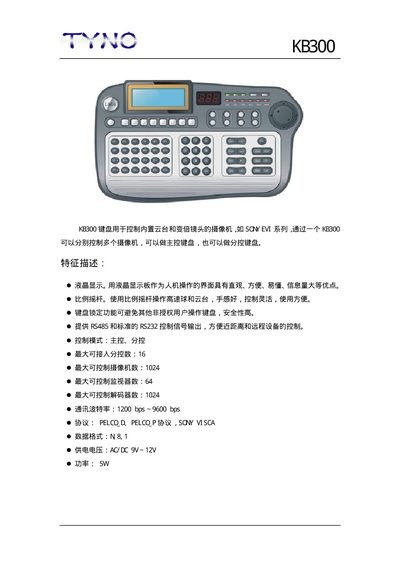
The KB300 keyboard is used to control PTZ cameras and zoom lenses, such as the SQY EVI series. It can act as a master controller or a subordinate controller, allowing one keyboard to manage multiple cameras.
Key features include an LCD display for intuitive operation, a lock function for security, a proportional joystick for smooth pan/tilt control, and both RS485 and standard RS232 outputs for short‑range and remote device control. This manual is written in Chinese.
| Control mode | Master, Slave |
|---|---|
| Maximum subordinate controllers | 16 |
| Maximum controllable cameras | 1024 |
| Maximum controllable monitors | 64 |
| Maximum controllable decoders | 1024 |
| Communication baud rate | 1200 bps ~ 9600 bps |
| Supported protocols | PELCO D, PELCO_P, SGY VISCA |
| Data format | N81 |
| Supply voltage | 9 V ~ 12 V AC/DC |
It can control up to 1024 cameras.
The keyboard offers RS485 and standard RS232 control signal outputs.
Supported protocols are PELCO D, PELCO_P, and SGY VISCA.