
HB1132 universal DVD remote control IC has brand direct train, code direct input, semi-automatic search, full-automatic search, child lock, production self-inspection and other functions, which can meet the needs of different brands of DVD remote control
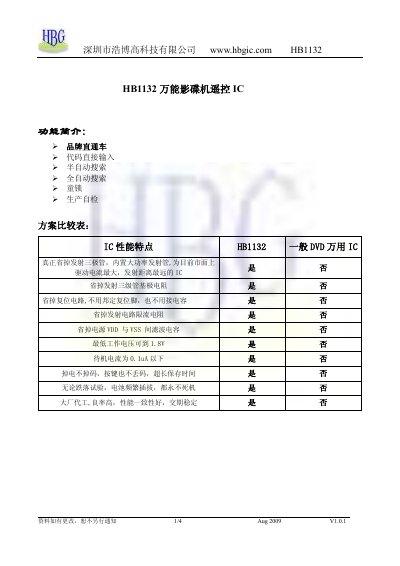
The HB1132 is a universal DVD machine remote‑control IC that integrates a high‑power transmitting tube, eliminating the need for external transmitting transistors, reset circuits, and many passive components. It supports features such as brand pass‑through, direct code entry, semi‑automatic and full‑automatic search, child lock, and a built‑in self‑test mode.
The manual describes how to input codes directly, set up brand‑specific keys, perform automatic searches, enable the child lock, and run the production self‑test. A circuit diagram and pin‑binding table are also included for hardware reference. This manual is written in Chinese.
| Minimum operating voltage | 1.8 V |
|---|---|
| Standby current | <0.1 µA |
| Transmitter | Built‑in high‑power transmitting tube |
| External transmitting transistor | Not required |
| Reset circuit | Not required |
Press and hold the SET key while also pressing the POWER key, then release; enter the three‑digit code; the LED will flash once for each valid digit and turn off when complete.
To lock, hold the OK key for about 4 seconds until the LED flashes three times; to unlock, hold the OK key for about 4 seconds until the LED flashes four times.
Turn on the DVD player, place a disc, hold the brand key for the target brand until the LED flashes every 2 seconds, then release when the player moves the tray.
Press the SET key, then briefly press the ‘7’ key; the LED will flash once and the IC enters self‑test mode.