
This document introduces the functions of the 3225/3226 MA1006-ChA watch, including daily alarm, stopwatch, and time/calendar setting functions. The watch features countdown alarm, daily alarm, and hourly chime. Additionally, the watch has the option to choose between 12-hour or 24-hour time format, and a fully automatic calendar from 2000 to 2099. The accuracy of the watch is within ±30 seconds per month.
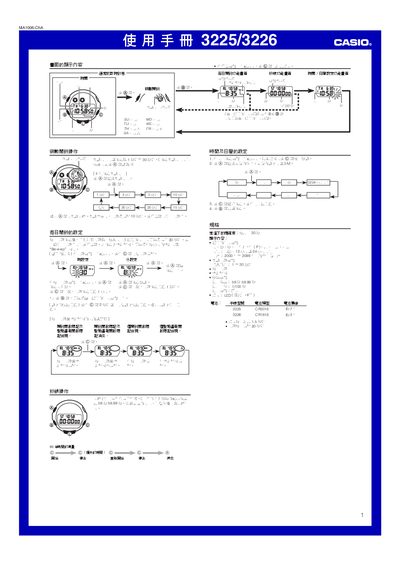
This manual describes how to operate the 3225/3226MA1006-ChA electronic watch. It covers the display screens for time, date, alarms, countdown timer, and stopwatch, as well as how to navigate between functions using the A, B, C buttons.
Instructions are provided for setting daily alarms, countdown alarms, time and calendar, using the illumination feature, and understanding the battery specifications for both model 3225 (CR2016) and model 3226 (CR1616). Technical specifications such as accuracy, measurement limits, and supported time formats are also listed. This manual is written in Chinese.
| Accuracy | ±30 seconds per month |
|---|---|
| Display Content | Time, minutes, seconds, AM/PM, month, date, weekday |
| Time Format | 12‑hour or 24‑hour selectable |
| Calendar Range | 2000‑2099 full‑auto calendar |
| Countdown Alarm Range | 1‑30 minutes |
| Stopwatch Limit | 59 minutes 59.99 seconds |
| Measurement Unit | 1/100 second |
| Battery (Model 3225) | CR2016, approx 7 years |
| Battery (Model 3226) | CR1616, approx 3 years |
| Illumination | LED backlight |
In the daily alarm screen, press A to set the hour, press C to advance the hour, press A again to set minutes, and press C to advance minutes; confirm with any button.