
The Pharos Drive GPS 140 User's Manual provides instructions for operating the Pharos Drive GPS 140.
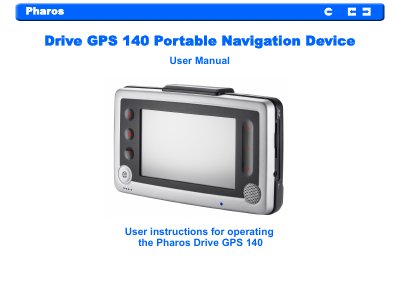
The Pharos Drive GPS 140 is a compact, lightweight portable navigation device with an integrated GPS receiver, 4‑inch touch screen, Bluetooth v2.0, and multimedia playback capabilities. It includes a built‑in Li‑Ion battery, SD card slot for storage, and optional external GPS/TMC antennas.
The manual covers hardware overview, mounting in a vehicle, basic operation, synchronization with a PC, contacts management, entertainment functions, hands‑free Bluetooth calling, and detailed troubleshooting and maintenance procedures.
| Overall dimensions (w/o antenna) | 146.874 mm x 88.31 mm x 26.74 mm |
|---|---|
| Weight (incl. battery) | 270 g |
| CPU | Samsung S3C2440, 400 MHz |
| RAM | 64 MB |
| Battery type | Rechargeable Li‑Ion 3.7 V, 1900 mAh |
| Bluetooth version | v2.0 |
Use a sharp object to press the reset button on the bottom of the device for a soft reset, or press the ON/OFF switch to the OFF position for a hard reset.
It uses a rechargeable Li‑Ion battery rated at 3.7 V and 1900 mAh.
A minimum of four GPS satellite signals is needed to calculate a GPS position.
For safety, the manual advises not to operate the controls of the product while driving.