
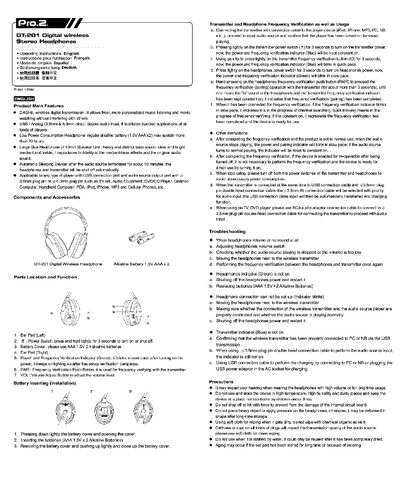
The DT-201 wireless stereo headphones provide 2.4 GHz digital transmission and support both USB and analog (3.5 mm / 6.3 mm) audio inputs. Powered by two AAA alkaline batteries, they offer more than 20 hours of playback and feature a 40 mm speaker unit for clear bass and treble. An automatic sleep function powers off the headphones and transmitter after about 10 minutes of inactivity.
The manual explains how to install the batteries, pair the headphones with the transmitter, adjust volume, and resolve common issues such as low volume or connection failures. Safety precautions and cleaning instructions are also included.
| Wireless transmission frequency | 2.4 GHz |
|---|---|
| Audio input options | USB and analog 3.5 mm / 6.3 mm pins |
| Speaker unit size | 40 mm |
| Automatic sleep timer | ≈10 minutes of inactivity |
Adjust the volume switch, make sure the audio source is playing, move the headphones closer to the transmitter, and if needed replace the batteries.
Open the battery cover, insert two AAA 1.5 V alkaline batteries, then close the cover.
Press the PAIR button on the headphones for about 3 seconds until you hear a beep; the indicator will stay solid, indicating successful pairing.