
iPet·i10·Ava is a multi-functional pet toy that can be used as an MP3 player, alarm clock and night light. It has three modes: Puppy Mode, Mix Mode and Music Mode. In Puppy Mode, you can interact with the toy by touching its belly and head. In Mix Mode, you can play MP3 music and puppy sounds. In Music Mode, you can play MP3 music.
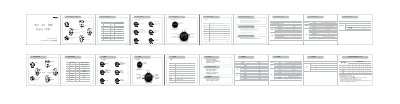
This manual explains the layout of the iPet i10 player, describing each control button, touch points, and their functions. It covers the four operating modes – Puppy, Mix, Music, and Settings – with details on navigation and available features.
Instructions for charging the device, transferring files via USB, and configuring language, vibration, and sound settings are included. The final section lists the technical specifications of the player, such as memory options, display size, audio performance, and battery life. This manual is written in Chinese.
| Memory size | 2GB / 4GB / 8GB |
|---|---|
| Display | OLED 96×64 |
| Dimensions | 38 mm × 61 mm × 34 mm |
| Frequency range | 20 Hz ~ 20 kHz ±3 dB |
| Battery type | Li‑ion |
| Charging time | ≈ 3 hours |
| Playback time (MP3 128 kbps) | ≈ 15 hours |
| Supported audio formats | MP3, WMA |
| Bitrate range | 8 kbps ~ 320 kbps |
| USB interface | USB 2.0 High Speed |
Connect the iPet i10 to a PC or charger with the USB cable; the battery icon will wobble while charging and the device is fully charged after about three hours.
Plug the iPet i10 into a computer using the USB cable; the player appears as a mass‑storage device, allowing you to copy, paste or drag‑and‑drop files.