
VR1 voice recorder user manual, introduce the basic functions and usage methods of VR1 voice recorder.
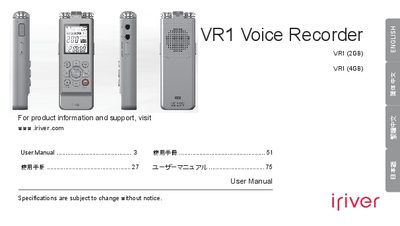
This manual introduces the iRiver VR1 voice recorder, describing what is included in the box, key product highlights, and safety instructions. It explains how to insert batteries, power the device on and off, and navigate the recorder’s functions.
Detailed sections cover recording modes, playback features, FM radio, USB transfer, and troubleshooting tips. The guide also lists technical specifications such as battery life, storage capacity, and supported audio formats.
| Audio format | MP3 |
|---|---|
| Battery life | up to 55 hours |
| Maximum recordings per folder | 400 |
| USB interface | USB 2.0 high‑speed |
| Operating temperature range | 6 °C to 40 °C |
| Built‑in microphone | Stereo (left/right/center) |
| Audio connectors | Headphone, microphone, line‑in sockets |
Press the power button until the display shows “HELLO”.
Press the power button while the recorder is stopped until the display shows “Bye”.
Each of the four folders can hold up to 400 recordings, plus a hidden folder.
The recorder can operate continuously for up to 55 hours on a full charge.