
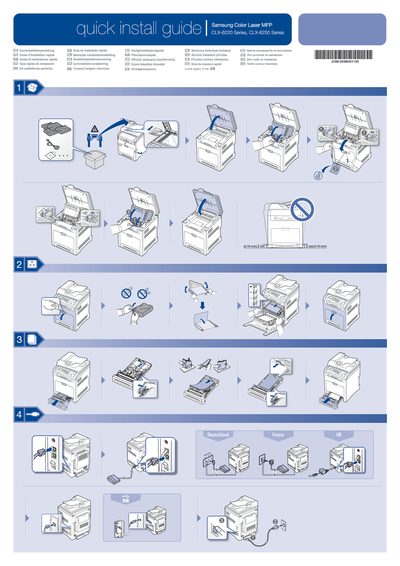
Samsung CLX-6220/CLX-6250 Color Laser MFP Quick Install Guide


Samsung CLX-6220/CLX-6250 Color Laser MFP Quick Install Guide - cover page
Brand
Samsung
Category
Printer
Document type
Quick Start Guide
Language
English
Pages
2
File format
PDF
File size
7.5 MB
Published
28 March, 2012
Updated
28 March, 2012
MD5 checksum
77B055B170B37FF451C051C562EF1BBC

About this manual

This guide provides step‑by‑step instructions for quickly installing Samsung CLX‑6220 and CLX‑6250 color laser MFPs, including selecting the correct country settings and preparing the device for first use.

It also reminds users to read the safety guidelines included on the supplied CD‑ROM and offers multilingual help screens covering Windows, Mac, and Linux environments.

What's inside

  • Quick Installation
  • Select Country
  • Safety Guidelines
  • Operating System Compatibility
  • Hardware Wizard
  • Viewing the User's Guide

Frequently asked questions

What should I read before using the printer?

You should read the safety guidelines in the User's Guide on the supplied CD‑ROM before using the product.

Download PDF (7.5 MB)

More Samsung Manuals


View all Samsung manuals →