
This is a user manual for TCL Z100 phone, which introduces the basic functions and usage methods of the phone.
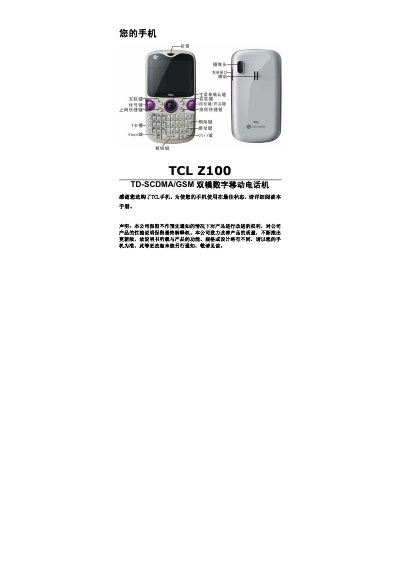
This manual introduces the TCL Z100 dual‑mode (TD‑SCDMA/GSM) mobile phone and explains how to set up and operate the device safely. It covers hardware components, button functions, and basic navigation of the phone’s menus.
Key sections include battery installation and charging, SIM/USIM and memory‑card insertion, power on/off procedures, making and receiving voice calls, call management features, emergency calling, text input methods, phonebook, calendar, and safety compliance information. This manual is written in Chinese.
| Standby time (GSM) | 150 hours |
|---|---|
| Standby time (TD) | 170 hours |
| Talk time (GSM) | 180 minutes |
| Talk time (TD) | 280 minutes |
| Maximum memory card capacity | 4 GB |
| Network mode | TD‑SCDMA / GSM dual‑mode |
Open the battery cover, place the lithium‑ion battery correctly, then close the cover before powering on the phone.
Even without a SIM/USIM card, you can dial emergency services as long as the device is in network coverage.
The phone supports memory cards up to 4 GB (T‑Flash cards).