
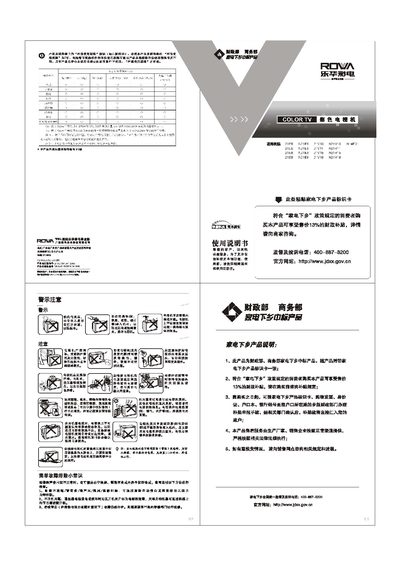
ROWA Television 21E5/N21E5/21V10/N21V10/N14E01/21E6/N21E6/21V11/N21V11/21E8/N21E8/21V15/N21V15/21E9/N21E9/21V19/N21V19 color Television Manual


ROWA Television 21E5/N21E5/21V10/N21V10/N14E01/21E6/N21E6/21V11/N21V11/21E8/N21E8/21V15/N21V15/21E9/N21E9/21V19/N21V19 color Television Manual - cover page
Brand
ROWA
Category
Television
Document type
User Manual
Language
Chinese
Pages
2
File format
PDF
File size
947 KB
Published
22 March, 2012
Updated
28 April, 2012
Models
21E6, N21E8, 21V1
MD5 checksum
65B9E3D2893950C79913FA348687D60F

About this manual

This manual covers the ROWA color television models such as 21E5, N21E5, 21V10, N21V10 and related variants. It includes safety warnings, warranty information, and detailed instructions for installing, powering on, and using the TV and its remote control.

Key sections explain picture and sound adjustments, channel scanning, menu navigation, system settings, time configuration, and common fault troubleshooting such as unclear images or no sound. The document also lists technical specifications like power requirements, audio output power, and screen size. This manual is written in Chinese.

What's inside

  • Safety and Warranty Information
  • Power On/Off Procedure
  • Remote Control and Menu Navigation
  • Picture and Sound Adjustment
  • Channel Scanning and Auto‑Search
  • System Settings and Time Configuration
  • Common Troubleshooting
  • Technical Specifications

Specifications

Input Voltage110‑250 V, 50 Hz
Power Consumption (standby)< 1 W
Audio Output Power2 W (L) + 2 W (R)
Screen Diagonal≈2 ft (≈61 cm)

Frequently asked questions

How can I set the correct time on the TV?

Enter the main menu, select the time setting option, and use the volume or OK keys to adjust hour, minute and date.

What does the TV do when there is no signal?

The TV will display a noise reduction screen and attempt to auto‑search for a signal.

Download PDF (947 KB)

More ROWA Manuals


View all ROWA manuals →