
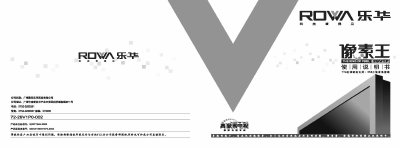
RONAN 29V1P Television User Manual


RONAN 29V1P Television User Manual - cover page
Brand
ROWA
Category
Television
Document type
User Manual
Language
Chinese
Pages
13
File format
PDF
File size
1.5 MB
Published
22 March, 2012
Updated
20 April, 2012
Model
29V1P
MD5 checksum
A02EA96D75BD2D9DE807949A9319C579

About this manual

This user manual covers the RONAN 29V1P television with a 66cm screen diagonal. It describes safety precautions, product features, appearance, peripheral connections, and basic specifications such as power consumption and TV systems.

The document explains how to install remote control batteries, turn the TV on and off, select signal sources, search for channels automatically or manually, switch channels, adjust volume and sound, and adjust picture settings. Troubleshooting and channel deletion instructions are also included. This manual is written in Chinese.

What's inside

  • Safety warnings and precautions
  • Product features
  • Product appearance
  • Peripheral connections
  • Television operation
  • Remote control
  • Power on and off
  • Signal source selection
  • Automatic channel search
  • Volume and sound adjustment

Specifications

Screen diagonal size66cm
Power consumption60W
Standby powerless than 3W
Weightabout 45 kg

Frequently asked questions

What is the screen diagonal size of the RONAN 29V1P TV?

The screen diagonal size is 66cm.

What is the standby power consumption of the RONAN 29V1P TV?

Standby power consumption is less than 3W.

Can the RONAN 29V1P TV be used as a computer monitor?

Yes, it can be used as a computer monitor.

Download PDF (1.5 MB)

More ROWA Manuals


View all ROWA manuals →