
TVGo DVB-T01 is a USB digital TV converter that turns your notebook or desktop PC into a personal digital TV. It receives free-to-air terrestrial broadcasting signal through the USB interface to let you watch digital TV on your notebook or desktop PC. You can watch TV within a window or full screen. The compact size design makes it easy for you to take it anywhere. With the remote controller, there is no distance limitation to control your TV channel. You can watch TV, video record and playback high quality digital video programs on your notebook or desktop PC. With digital technology today, TVGo DVB-T01 lets you record digital TV programs to your computer, watch TV, record TV programs, preview TV channels and use the Time-Shift function without missing any programs. These functions supported by TVGo DVB-T01 make this a product you don’t want to miss.
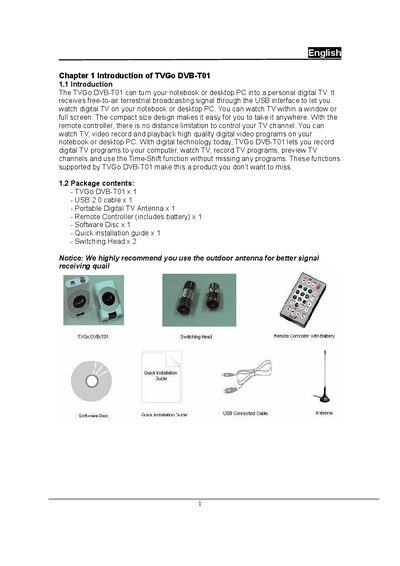
The TVGo DVB‑T01 turns a notebook or desktop PC into a personal digital TV receiver via a USB interface. It supports live TV, recording, time‑shift, snapshot, EPG and teletext functions, and includes a remote controller and portable antenna.
The manual provides step‑by‑step hardware and software installation instructions, describes the player controls, lists minimum and recommended system specifications, and offers troubleshooting tips for common issues such as weak signal, missing audio, or driver problems.
| Minimum CPU for SDTV | above 1.7 GHz |
|---|---|
| Minimum CPU for HDTV | above 2.4 GHz |
| Minimum RAM | 128 MB |
| Recommended RAM | 256 MB |
| Supported operating systems | Windows 2000 SP4 or Windows XP SP1/SP2 |
| DirectX version | 9.0c or later |
| Disk space for driver/software | 100 MB free |
| Recording storage per hour | 3 GB |
The signal may be too weak; move the antenna or use an external outdoor antenna for better reception.
Make sure the sound card driver is correctly installed and that the volume is not muted.
The system must have a sound card and its driver installed before the TVGo software can run.