
The TVGo DVB-T02Q can turn your notebook or desktop PC into a personal digital TV and let you watch high definition free-to-air DVB-T TV on your notebook or desktop PC. The compact size design makes it easy for you to take it anywhere and real-time record the TV programs to DVD disc in DVD format. With the remote controller, you can easily to watch TV and record, also playback high quality digital video programs on your NB or PC and channel preview. These functions supported by TVGo DVB-T02Q make this a product you don’t want to miss.
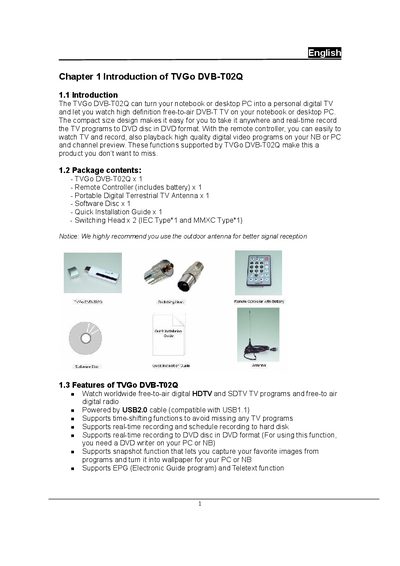
This manual introduces the TVGo DVB-T02Q USB digital TV tuner, its package contents, and key features such as free‑to‑air HDTV reception, time‑shifting, and DVD recording. It also provides guidance on hardware connections, software installation, and driver setup.
Detailed sections cover the control panel functions, basic operation like channel preview, EPG, teletext, and troubleshooting tips for common issues such as video playback smoothness and DVD burning problems.
| CPU requirement (HDTV) | 2.4 GHz or above (3.0 GHz for recording) |
|---|---|
| System memory | 256 MB |
| Operating system | Windows 2000 SP4, Windows XP SP1/SP2 |
| DirectX version | 9.0c or later |
| Hard‑disk space (driver & software) | 100 MB |
| Hard‑disk space per hour of recording | 3 GB |
| USB interface | USB 2.0 (compatible with USB 1.1) |
Because USB bandwidth is limited; using the remote controller while broadcasting the TV program can cause data transfer interruptions.
The feature requires a compatible DVD read/write drive and enough CPU power (about 300 MHz extra). Ensure your system includes a supported DVD burner.
Use an external outdoor UHF antenna, especially if indoor reception is weak due to building or terrain blockage.
Disable power‑saving mode in the notebook’s power management settings, as it can lower the CPU frequency and affect playback.