
This document is the user manual for Sony MZ-E10 portable MiniDisc player. It provides instructions on the operation status, power supply, charging method, playback mode selection, and repeat playback function of the player. The player is portable and has multiple playback modes, making it suitable for use.
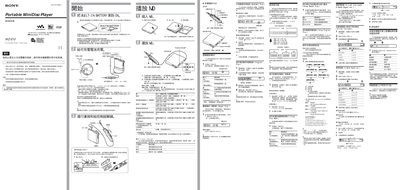
This manual covers safety precautions, battery charging, and basic operation of the Sony MZ‑E10 portable digital audio player. It explains how to install the built‑in rechargeable lithium‑ion battery, use the charging dock, and select playback modes with the remote control.
Additional sections describe advanced features such as virtual surround sound, 6‑band equalizer, alarm timer, power‑save mode, and troubleshooting tips. Technical specifications for the laser diode, audio codec, dimensions, and accessories are also listed. This manual is written in Chinese.
| Laser diode wavelength | 790 nm |
|---|---|
| Laser output power | < 4 mW |
| Rotation speed | ≈ 300 rpm – 2 700 rpm |
| Maximum audio output level | 5 mW into 16 Ω |
| Battery capacity | 340 mAh, 3.7 V |
| Dimensions | 81.9 × 72.2 × 9.9 mm |
| Weight | ≈ 55 g |
| External power input | 6 V DC |
| Audio channels | 2 stereo channels, 1 mono channel |
Place the player on the charging dock; the 3‑color info LED will turn red and charging begins. Charging a fully depleted battery takes about one hour.
Press and hold the PLAY button for 2 seconds, scroll the joystick until “USEFUL” appears, then scroll to “TIMER” and set the desired minutes (1‑99). Confirm with the joystick.
Hold the PLAY button for 2 seconds, scroll the joystick until “OPTIOM” appears, then select “Power Mode”. The 3‑color info LED will turn off to conserve battery.
Yes. Press and hold PLAY for 2 seconds, then scroll the joystick until “USEFUL” appears. The speed range is from –50 % to +100 % in 13 steps.