
This manual explains the features and operations of the Sony MZ-E501 Portable MiniDisc Player.
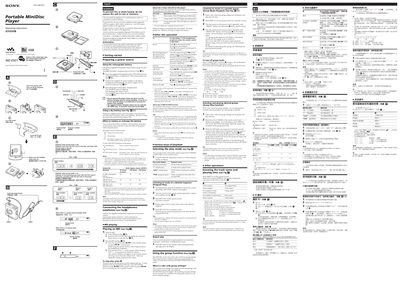
The MZ-E501 is a portable MiniDisc player that supports MiniDisc playback, group functions, and digital sound presets. This manual explains how to prepare power sources, insert batteries, charge the rechargeable battery, and operate the player safely.
Key features include a 3‑color Info‑LED that indicates operating status, multiple playback modes (normal, shuffle, program, repeat), group playback, and adjustable sound settings with eight‑step bass/treble control. Safety warnings cover fire and shock hazards, ventilation, and battery disposal.
| Supported batteries | NH‑14WM rechargeable, LR6 (AA) alkaline |
|---|---|
| Battery life (Ni‑MH rechargeable) | approximately 29‑37 hours |
| Charging time (rechargeable battery) | about 6 hours |
| 3 Color Info‑LED meanings | Red = Normal play, Green = Group mode, Orange = Group skip mode |
| Sound adjustment steps | Eight steps, from –4 to +3 |
Insert the supplied NH‑14WM battery, connect the AC adaptor to the charging stand, place the player on the stand, and wait until the CHARGE lamp turns off after about 6 hours.
The 3 Color Info‑LED flashes slowly when battery power is decreasing and flashes quickly when the battery is low; the remote control also shows a “LOW BATT” warning.
Insert a disc with group settings, press DISPLAY for 2 seconds, turn the remote control until “GROUP” flashes, press I, and the 3‑color LED turns green to indicate group mode.
Press SOUND to select SOUND1 or SOUND2, hold the button to enter bass‑setting mode (or press again for treble), then use the +/- controls to adjust in eight steps.