
This document introduces the correct use of Microjet Recorder (Type: PHC) products, including how to properly install paper and recording heads
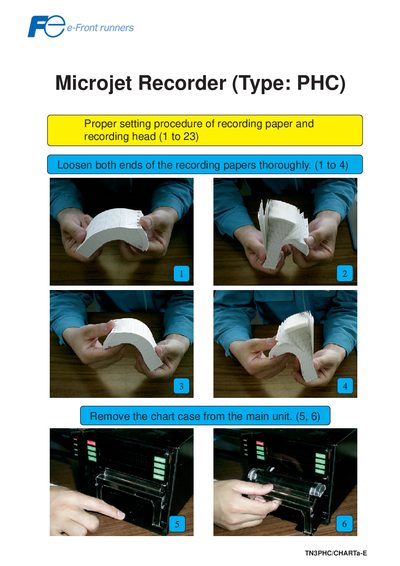
This manual explains how to prepare the PHC Microjet Recorder for operation. It covers loading the recording paper, installing the recording head, and attaching the chart case to the main unit.
Key procedures include loosening the paper ends, feeding the paper with the FEED key, ensuring the bottom face of the chart case is correctly oriented, and securing the recording head. Follow the illustrated steps to avoid paper jams and ensure reliable recording.
Loosen both ends of the recording paper, then press the FEED key to feed out 2 to 3 folds of the paper.
If the paper is caught in the chart cover, a paper jam may occur, so ensure the paper is properly positioned before feeding.
Set the chart case, push the recording head securely, and then push the recording into the main unit.