
This instruction manual introduces Canon's EF zoom lens series, including EF28-80mm f/3.5-5.6, EF28-80mm f/3.5-5.6 II, EF28-90mm f/4-5.6, EF28-90mm f/4-5.6 II, EF28-90mm f/4-5.6 III, EF28-105mm f/4-5.6, EF28-200mm f/3.5-5.6, EF35-80mm f/4-5.6 III, EF38-76mm f/4.5-5.6. The document provides the names and functions of each component, as well as usage precautions and safety precautions. It also introduces the installation and removal of the lens, setting of the focus mode, operation of zooming and aperture setting, etc. Finally, a specification table is provided, including the angle of view, lens structure, minimum aperture, maximum magnification and field of view, closest focusing distance, filter diameter, lens hood, maximum diameter and length, weight, etc.
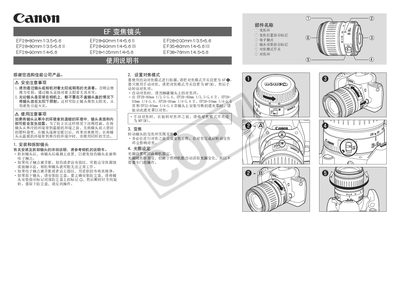
This Canon EF Zoom Lens manual provides safety precautions, handling instructions, and detailed guidance on installing and using the lens. It explains how to avoid damage from sunlight, prevent condensation, and properly attach accessories such as shade hoods and filters.
The guide also describes focus mode settings (AF, MF), aperture control, and includes a specifications table for various EF lenses (28‑80mm, 28‑90mm, 28‑105mm, 28‑200mm). This manual is written in Chinese.
| Focal length | 28-80mm |
|---|---|
| Maximum aperture | f/3.5-5.6 |
No, you should not look through the lens or camera at the sun or bright light sources because it can damage your eyesight.
Place the lens in a sealed plastic bag before moving it between temperature extremes, allowing it to warm or cool gradually.
Align the red dot on the lens with the mark on the shade hood, then rotate the hood clockwise until the marks line up.