
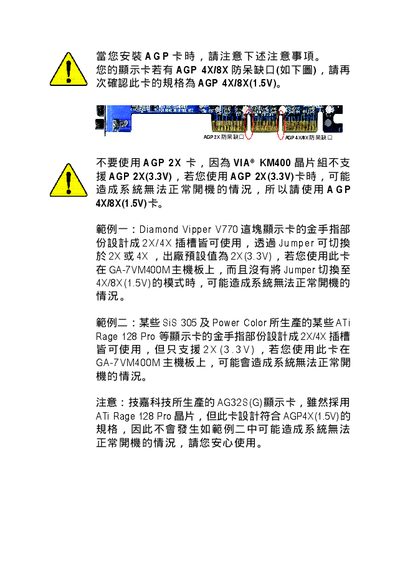
This document provides information on the precautions to be taken when installing an AGP card, especially for motherboards that support AGP 4X/8X. It advises against using an AGP 2X card as it may result in the system not being able to boot properly. The document also provides examples of specific AGP cards that may cause issues if used on certain motherboards.
This manual covers the layout of the GA-7VM400M motherboard, safety precautions, and the complete hardware installation process. It includes detailed steps for installing the CPU, memory modules, power connectors, and peripheral cables, as well as instructions for configuring BIOS settings and updating firmware.
Additional sections provide technical reference data, compliance information, and contact details for Gigabyte support centers worldwide. The guide also warns against using unsupported AGP slots and offers tips for handling components safely to avoid static damage. This manual is written in Chinese.
| Supported AGP slot | AGP 4X/8X (1.5V) |
|---|---|
| CPU compatibility | AMD Athlon / Athlon XP / Duron Socket A |
| Model number | GA-7VM400M |
Only AGP 4X/8X (1.5 V) slots are supported; using an AGP 2X (3.3 V) slot may prevent the system from booting.
The board supports AMD Athlon, Athlon XP, and Duron processors that use Socket A.
Wear an anti‑static wrist strap and keep components in an anti‑static bag before installation.