
GAUI drone operation manual, including specifications, working modes and other information.
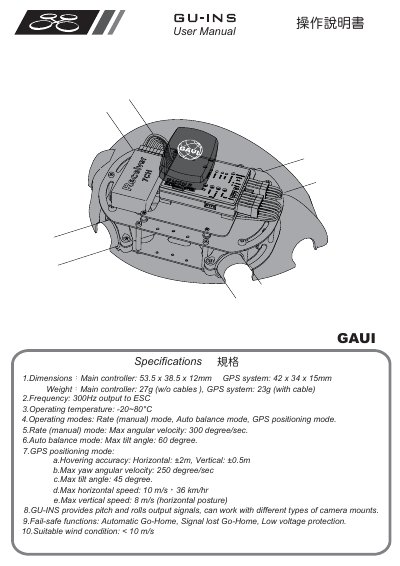
This manual describes the GU‑INS system, including the main controller and optional GPS module. It lists physical dimensions, weight, frequency, operating temperature, and detailed performance limits for each flight mode such as Rate, Auto‑balance, and GPS positioning.
The document also covers safety precautions, LED status indicators, system assembly, wiring, transmitter configuration, calibration procedures, firmware updates, and optional on‑screen display connections. It provides step‑by‑step instructions for setting up the controller, calibrating ESCs, and using fail‑safe functions.
| Main controller dimensions | 53.5 x 38.5 x 12 mm |
|---|---|
| GPS antenna dimensions | 42 x 34 x 15 mm |
| Main controller weight | 27 g (w/o cables) |
| Output frequency | 300 Hz to ESC |
| Operating temperature range | -20 °C to 80 °C |
| Maximum angular velocity (Rate mode) | 300 deg/s |
| Maximum tilt angle (Auto‑balance mode) | 60 ° |
| Hovering accuracy (GPS mode) | ±2 m horizontal, ±0.5 m vertical |
| Maximum yaw angular velocity (GPS mode) | 250 deg/s |
| Maximum horizontal speed (GPS mode) | 10 m/s (≈36 km/h) |
| Maximum vertical speed (GPS mode) | 8 m/s |
| Suitable wind condition | < 10 m/s |
The GU‑INS includes Automatic Go‑Home, Signal‑lost Go‑Home, and Low‑voltage protection as fail‑safe functions.
For safety, remove all propellers before performing any setup, calibration, or firmware update procedures.
Set the AILE, ELEV, THRO, and RUDD sticks to their central positions and assign the fail‑safe to activate GPS positioning and HOME functions on the transmitter.