
This document is the operating instructions for Denon DVD-A11 DVD player
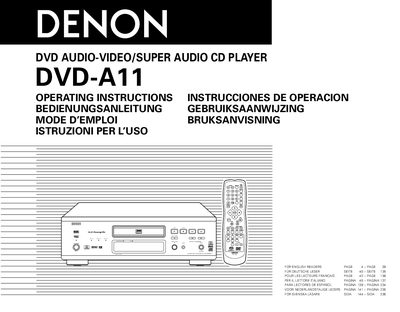
This manual explains how to set up and operate the Denon DVD-A11 DVD audio‑video/Super Audio CD player. It includes safety precautions, disc‑handling rules, and detailed connection instructions for TV and audio equipment.
Key sections cover features such as 24‑bit D/A conversion, multi‑channel Super Audio CD playback, region‑code settings, and troubleshooting tips. The document also lists supported disc formats and provides specifications for audio and video performance.
| Dynamic range | 120 dB or greater |
|---|---|
| Playback frequency range | up to 100 kHz |
| Audio channels | Maximum 5.1 channels |
| Audio DAC | High precision 24‑bit D/A converter |
| Video DAC | 12‑bit/216 MHz video D/A converter |
Hold the plug when unplugging the cord; do not pull on the cord itself.
The player supports DVD‑A, DVD‑Video, Super Audio CD, CD‑R/RW (with MP3, JPEG, WMA), DVD‑R/RW recorded in video format, and several other listed formats.
Use the included audio‑video cord to connect the TV’s video input to the DVD‑A11’s VIDEO OUT or S‑VIDEO OUT, and connect the audio inputs accordingly.