
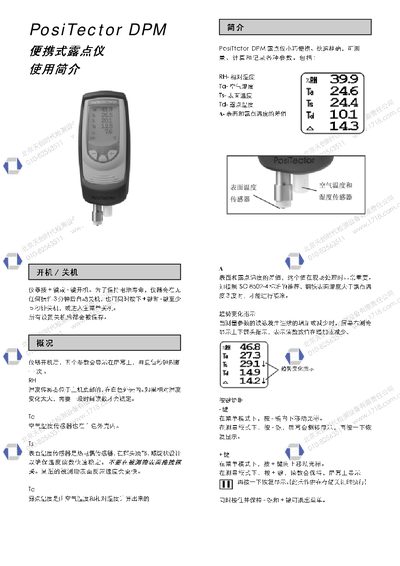
The PosiTector DPM dew point meter displays five parameters—relative humidity (RH), air temperature (Ta), surface temperature (Ts), dew point temperature (Td), and the difference (A)—which refresh every second. Sensors include a humidity sensor at the bottom of the main unit, an air‑temperature sensor inside the white housing, and a thermocouple surface‑temperature sensor on the probe.
The instrument can store up to 100 batches and 560 data points, supports automatic shutdown after 3 minutes of inactivity, and provides alarm when the surface‑to‑dew‑point temperature difference falls below 3 °C. Settings such as units, language, and storage interval are configurable via the menu, and a factory reset clears all data and restores default parameters. This manual is written in Chinese.
| Surface Temperature Sensor Type | Thermocouple |
|---|---|
| Air Temperature Sensor Location | Inside white housing |
| Alarm Condition | Triggers when surface‑to‑dew‑point difference < 3 °C |