
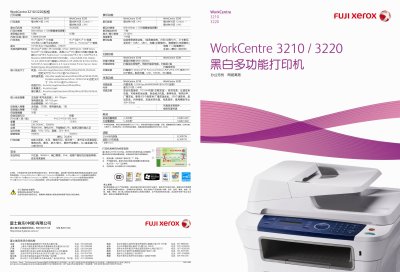
The WorkCentre 3210/3220 is a multifunction printer that combines fast printing, copying, scanning and fax capabilities in a compact office‑friendly design. It supports high‑speed output of up to 28 pages per minute and offers advanced image quality with 600 dpi (1200 dpi enhanced) printing and up to 4800 dpi scanning.
The device includes network connectivity via 10/100 Ethernet and USB 2.0, supports a wide range of operating systems (Windows, macOS, Linux, UNIX), and features security functions such as secure fax reception, SNMPv3, and IPv6. Energy‑Star certification and power‑saving modes help reduce consumption, while large paper capacities and optional trays increase productivity. This manual is written in Chinese.
| Print speed (A4) | 24 ppm |
|---|---|
| Print speed (A4) – WorkCentre 3220 | 28 ppm |
| Monthly duty cycle | 30 000 pages (3210) / 50 000 pages (3220) |
| Power consumption (energy‑saving mode) | 12 W |
| Dimensions (W×D×H) | 445.2 mm × 410.5 mm × 395.3 mm |
| Weight | 13.8 kg (3210) / 15.9 kg (3220) |
| Automatic document feeder capacity | 50 pages |
| Supported network interfaces | 10/100 Base‑TX Ethernet, USB 2.0 |
The WorkCentre 3210 can handle up to 30 000 pages per month.
It provides a 10/100 Base‑TX Ethernet port and a USB 2.0 port.