
Key facts
- Manuals
- 2
- Categories
- 1
- Languages
- ZH · IT
- Last added
- 2012-03-16
Featured WorkCentre manuals
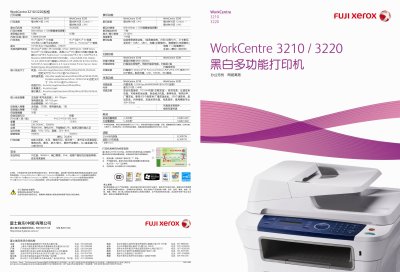
WorkCentre 3210/3220 A4 black white multi-function Printer Manual
The WorkCentre 3210/3220 is a multifunction printer that combines fast printing, copying, scanning and fax capabilities in a compact office‑friendly design. It supports high‑speed output of up to 28 pages per minute and offers advanced image quality with 600 dpi (1200 dpi enhanced) printing and up to 4800 dpi scanning.
The device includes network connectivity via 10/100 Ethernet and USB 2.0, supports a wide range of operating systems (Windows, macOS, Linux, UNIX), and features security functions such as secure fax reception, SNMPv3, and IPv6. Energy‑Star certification and power‑saving modes help reduce consumption, while large paper capacities and optional trays increase productivity. This manual is written in Chinese.
Covers: Specifications · Printing · Copying · Scanning · Fax · Security Features
Xerox WorkCentre C2424 User Guide
This guide provides step‑by‑step instructions for loading print media, configuring network connections, and using the copier‑printer’s basic functions such as copy, scan and print. It also covers advanced options like color correction, duplex printing, and security settings.
Additional sections detail troubleshooting, routine maintenance, moving and packing the unit, and safety information required for safe operation in an office environment. This manual is written in Italian.
Covers: Functions Overview · Loading Print Media · Copy Operations · Scanning Operations · Printing Operations · Advanced Print Options
Latest WorkCentre manuals
WorkCentre 3210/3220 A4 black white multi-function Printer Manual
User Manual 2 pages · 2.6 MB · ZHThe Xerox WorkCentre 3210/3220 multifunction printer user manual provides specifications, setup, operation, scanning, copying and fax features.
Xerox WorkCentre C2424 User Guide
User Manual 281 pages · 4.9 MB · ITThe Xerox WorkCentre C2424 user guide explains setup, printing, copying, scanning and maintenance for this multifunction copier‑printer.
Which document do I need?
User Manual
Day-to-day operation, settings and troubleshooting. Start here if the product is already set up.
Questions answered in WorkCentre manuals
What is the monthly duty cycle for the WorkCentre 3210?
The WorkCentre 3210 can handle up to 30 000 pages per month.
From: WorkCentre 3210/3220 A4 black white multi-function Printer Manual
Which network interfaces are available on the WorkCentre 3220?
It provides a 10/100 Base‑TX Ethernet port and a USB 2.0 port.
From: WorkCentre 3210/3220 A4 black white multi-function Printer Manual
How do I load paper into the tray?
Load the paper according to the instructions on page 2‑7, which show how to insert media into the paper tray.
How can I set up an Ethernet network connection?
Use the recommended Ethernet connection method described on page 6‑3 to configure TCP/IP settings.