
DocuPrint C3290 FS color multifunction laser printer, affordable price, business-class performance, a complete office solution - fast, easy to use, and fully featured
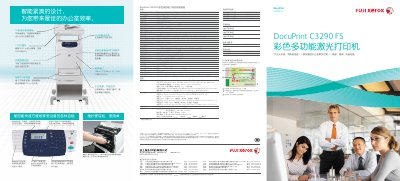
This manual covers the full range of features for the DocuPrint C3290 FS, including printing, copying, scanning, and fax functions. It details hardware specifications, consumable options, paper handling, network interfaces, and software compatibility.
The guide also explains routine maintenance tasks, security printing, direct fax, and advanced functions such as SimpleMonitor remote monitoring and scan‑to‑email/FTP. Helpful troubleshooting tips and configuration steps are included to keep the printer running efficiently in a small‑office environment. This manual is written in Chinese.
| Print speed (color / black) | 20 ppm color, 30 ppm black |
|---|---|
| Monthly duty cycle | 60,000 pages |
| Print resolution | 600 × 600 dpi (standard), 9600 × 600 dpi (enhanced) |
| Memory (standard / max) | 256 MB / 768 MB |
| Processor | 400 MHz + ARM dual‑CPU |
| Input paper capacity | 950 sheets |
| Dimensions (W × D × H) | 460 × 520 × 730 mm (with ADF) |
| Weight (without consumables) | 40 kg |
The printer is equipped with a 50‑page automatic document feeder.
Yes, the Direct Fax function can be invoked through the printer driver to send faxes directly.