
This document is the user manual of Lenovo M820 multifunction all-in-one printer. It introduces the features and characteristics of M820 all-in-one printer and the usage methods.
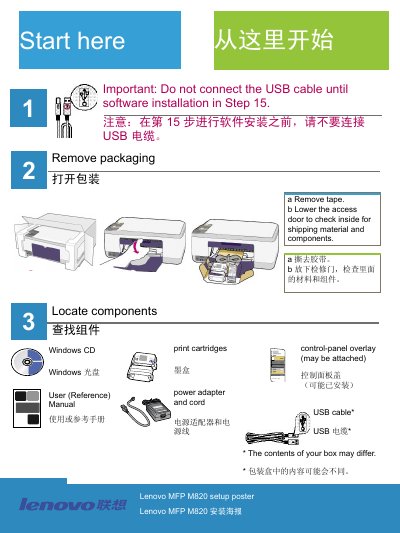
The manual guides users through unpacking the device, removing packaging tape, attaching the control‑panel overlay, loading paper and powering on the M820. It also shows how to open the access door, prepare and install the black and tri‑color print cartridges, and run the cartridge alignment procedure.
After hardware setup, the guide explains how to insert the Windows installation CD, complete the software installation, connect the USB cable, and resolve common issues such as cartridge check warnings, paper jams during alignment, and USB connection problems. This manual is written in Chinese.
Connect the USB cable only after you see the screen prompting you to do so (step 15).
Remove the print cartridges, make sure all tape is removed from the copper contacts, then re‑insert the cartridges.
Turn off the device, remove the back cover, gently pull out the jammed paper, then turn the device back on and reload the paper.