
This document is an introduction to the ND-100S USB GPS Dongle User's Guide, including the features and characteristics of the product.
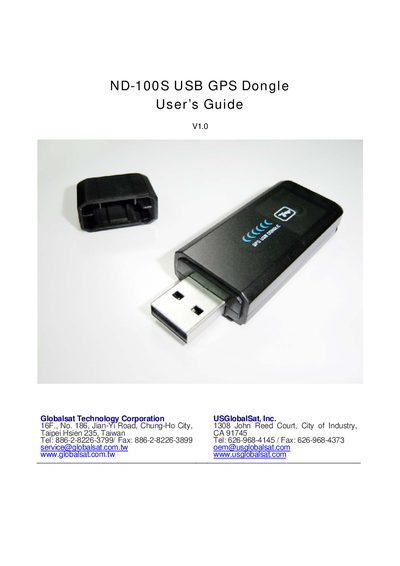
This guide covers everything needed to get the GlobalSat ND-100S USB GPS dongle up and running. It includes package contents, system requirements, driver installation, COM‑port verification, and initial GPS acquisition steps. Detailed instructions are provided for Windows, with notes on Mac and Linux compatibility.
The manual also describes the AP interface, how to use the included GPS information utility, troubleshooting tips, safety notices, warranty information, and full technical specifications of the device.
| GPS Chipset | SIRF Star III/LP |
|---|---|
| Frequency | L1 1575.42 MHz |
| Channels | 20 all‑in‑view tracking |
| Sensitivity | -159 dBm |
| Velocity Accuracy | 0.1 m/s (95 % SA off) |
| Time Accuracy | 1 µs synchronized to GPS time |
| Operating Voltage | 4.5 – 5.5 V DC |
| Typical Current | 50 mA |
| Dimensions | 2.6 in L × 0.9 in W × 0.4 in H (65.5 × 23 × 11 mm) |
| Weight | 0.04 lb (20 g) |
| Operating Temperature | -20 °C to 70 °C |
| Storage Temperature | -20 °C to 80 °C |
| Certifications | FCC, CE |
Open Windows Device Manager, expand the Ports (COM & LPT) section, and look for “Prolific Serial‑to‑USB Com Port (COM x)”, where x is the assigned port number.
Set the baud rate to 4800, data bits to 8, parity to None, stop bits to 1, and flow control to None.