
This is the KG90c phone user manual, including safety precautions, phone usage precautions, battery usage precautions, charger usage precautions, etc.
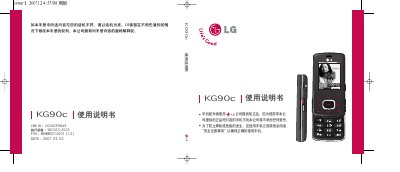
This manual provides operating instructions for the LG KG90c phone accessories. It begins with extensive safety precautions covering water exposure, temperature limits, battery handling, charging safety, and usage restrictions in environments such as aircraft, hospitals, and gas stations.
The guide then explains the phone's functional keys, touch-key usage, and on-screen icons. It details accessory confirmation, battery and SIM card installation, charging procedures, power on/off, making and receiving calls, text input, SMS management, phonebook operations, call logs, multimedia features (camera, MP3, streaming, recording, games), organizer tools, settings (display, security, language, Bluetooth), troubleshooting, specifications, and warranty information. This manual is written in Chinese.
| Operating Temperature | -20°C to 50°C |
|---|
The phone operates between -20°C and 50°C.
Do not turn on the phone and do not use heating devices like ovens or microwaves to dry it.
Only the original battery provided by LG should be used; non-original batteries may cause explosion or malfunction.
Insert the power plug firmly to avoid looseness; when unplugging, hold both sides of the charger plug.