
This manual is the user manual of QR-2000, a wireless microphone product from Jiayou. It mainly introduces the functions and usage of the product.
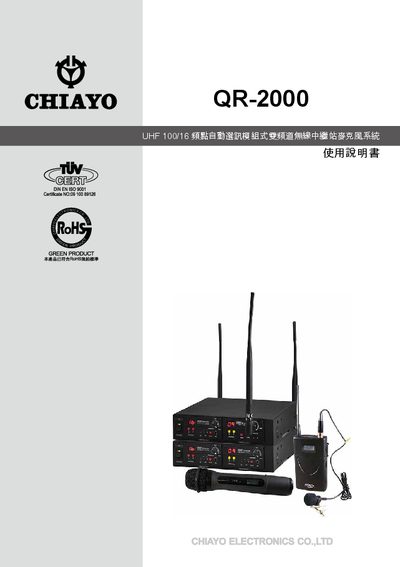
The QR-2000 is a UHF wireless microphone system that includes a receiver, handheld or waist‑mounted transmitters, and optional accessories. It supports both balanced XLR (mic) and unbalanced 1/4" (line) audio connections, and can operate on 100 or 16 selectable frequency points.
The manual explains how to install the units on a rack, set channel numbers, choose battery type, adjust sensitivity and output power, and connect audio sources. It also covers battery replacement, power‑on procedures, and the functions of LEDs and switches for power, mute, and channel selection. This manual is written in Chinese.
| Frequency range | UHF, 100 or 16 selectable frequency points |
|---|---|
| Power source | 2 AA batteries (NiMH rechargeable or alkaline) |
| Output power levels | Low (L) and High (H) selectable |
| Audio connectors | Balanced XLR mic input, unbalanced 1/4" line input/output |
| Battery level indicator | LED battery‑level indicator |
Press the channel up/down keys or use the supplied screwdriver to rotate the channel selector; the current channel number is shown in the small window on the transmitter.
The system uses two AA batteries (either NiMH rechargeable or alkaline). Insert them with the correct polarity as shown in the diagram, and remove them after use to avoid leakage.
Use the output‑power switch on the transmitter; set to L for low power or H for high power.
Connect a mixer or speaker to the balanced XLR mic input if it uses XLR connectors, or to the unbalanced 1/4" line output if it uses a phone‑type jack.