
This manual introduces the basic use of KX195 mobile phone, including turning on and off the phone, dialing, receiving calls, sending text messages, etc.
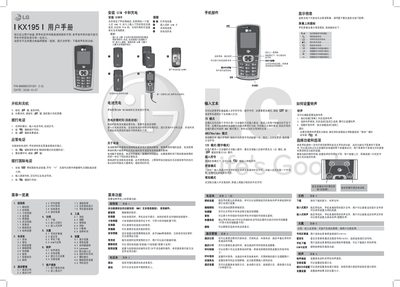
This manual covers the basic operation of the LG KX195 mobile phone, including installing the UIM card, powering on and off, making calls, sending messages, managing the phonebook, and customizing ringtones and display settings. Detailed menu descriptions and input methods such as T9, ABC, and numeric modes are also provided.
Safety guidelines, battery care, SAR information, and troubleshooting steps are included to help users maintain reliable performance and comply with regulatory requirements. The document also lists recommended accessories and cautions against using non‑LG components. This manual is written in Chinese.
| Model | KX195 |
|---|---|
| Operating Temperature Range | -20°C to +55°C (charging up to +45°C) |
| SAR (10g average) | 1.242 W/kg |
| Battery Charging Time (first charge) | Approximately 4 hours |
Open the battery cover, insert the UIM card, and then close the battery cover.
The default security password is 0000.
Press the left soft key to open the menu, then select "Ringtone" to choose a new tone.