
Key facts
- Brand
- LG
- Model
- KX195
- Documents
- 3
- Languages
- ZH
- Last added
- 2026-10-01
Start here
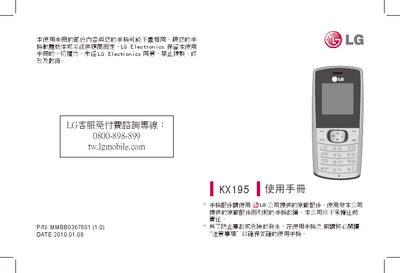
LG KX195 Mobile Phone User Manual
This manual covers safety precautions, proper handling of the device and its accessories, and regulatory information such as SAR values. It explains how to install the battery and RUIM card, operate the phone’s functions, and manage contacts, messages, and calls.
Additional sections describe the phone’s hardware specifications, warranty terms, and recommended usage environments, including warnings about using the phone near flammable materials, in vehicles, or in restricted areas like hospitals and aircraft. This manual is written in Chinese.
LG KX195 specifications
| Model | KX195 |
|---|---|
| Operating Temperature Range | -20°C to +55°C (charging up to +45°C) |
| SAR (10g average) | 1.242 W/kg |
| Battery Charging Time (first charge) | Approximately 4 hours |
All LG KX195 documents by type
Day-to-day operation, settings and troubleshooting. Start here if the product is already set up.
Questions answered in these manuals
Can I use the phone while driving?
No. The manual states that you should not hold the phone while driving and should use a hands‑free device if you need to make a call.
What is the SAR value of the KX195?
The measured SAR value is 0.948 W/kg (10 g), which is below the regulatory limit of 2.0 W/kg.
How do I insert the UIM card?
Open the battery cover, insert the UIM card, and then close the battery cover.
What is the default security password?
The default security password is 0000.
How do I turn the phone on?
Press and hold the power key until the phone turns on.
How can I make an international call?
Long‑press the key to get the international prefix “+”, then enter the country code, area code, and phone number.