
The SC-GSM-CX Intelligent Home Color MMS Burglar Alarm Host Manual is a burglar alarm host that can be remotely set and disarmed via mobile phone, monitor multiple rooms in the house, and send MMS, SMS, and make alarm calls to the mobile phone when an intrusion occurs.
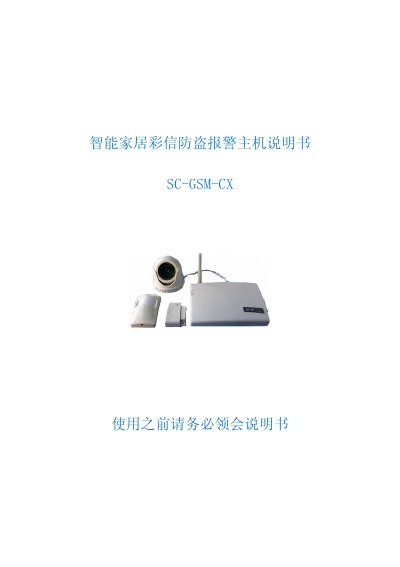
This manual describes the SC‑GSM‑CX intelligent home security system that uses GSM/MMS to send alarm notifications and images to a user's mobile phone. It covers hardware components, power requirements, and the system's ability to monitor doors, windows, smoke, gas, and other sensors.
Step‑by‑step instructions are provided for installing the SIM card, connecting the camera, powering the unit, configuring alarm numbers, testing the alarm, and using the handheld remote or mobile phone to arm, disarm, and control appliances such as lights, sockets, and air‑conditioners. This manual is written in Chinese.
| Dimensions | 200×135×40 mm |
|---|---|
| Power Supply | 8 V 1000 mA DC regulated |
| Input Voltage | AC 220 V ±10 % 50/60 Hz |
| Maximum Load per Socket | ≤ 1500 W |
| Remote Control Distance | 100 m (line‑of‑sight) |
| Control Frequency | 315 MHz |
| Wireless Alarm Zones | 11 zones (expandable) |
| Wired Alarm Zones | 6 zones (expandable) |
| 24‑Hour Zones | 2 wireless + 2 wired zones always active |
Open the top cover of the main unit and insert a GSM‑network SIM card into the SIM‑card slot of the GSM module.
Send an SMS with the format “短信改写1XXXXXXXX” (or 2‑6) to the unit; the default password is “短信改写”. This updates the corresponding alarm number.
Yes, the system can remotely switch up to six 86‑type wireless sockets via Bluetooth; send SMS commands such as “?打开第二路” to turn a socket on.
Press the handheld remote’s lock button to arm the system (red LED lights), then trigger a wireless door sensor; the phone will receive an alarm SMS and an MMS image.