
This manual introduces the features and usage methods of PID-48, PID-486H microcomputer program controller, including input and output range, key description, automatic tuning function, etc.
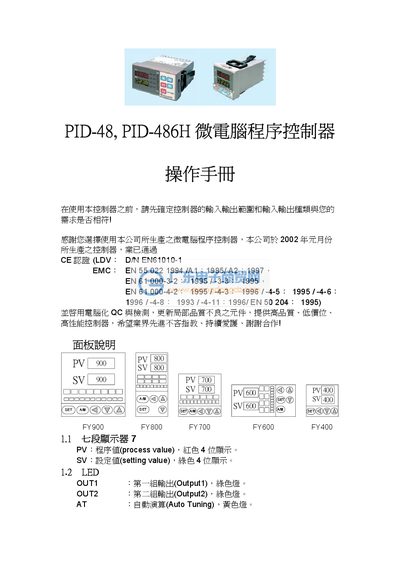
This manual explains the front‑panel indicators, keys, and LEDs of the PID‑48 / PID‑486H microcomputer program controller. It describes the meaning of each indicator (e.g., AT for Auto‑Tuning, PRO for program execution) and provides step‑by‑step instructions for navigating the four operating levels (User, PID, Input, and Set).
Detailed sections cover input type selection, output calibration, auto‑tuning parameters, alarm configuration, and advanced functions such as RAMP and SOAK. Error messages and their causes are listed, along with recommended corrective actions. This manual is written in Japanese.
| Output range | 0‑200.0 % |
|---|---|
| Maximum time setting | 0‑3600 s |
| RAMP range | 0.00‑99.99 (°/min) |
| Analog input limits | -1999 to 9999 |
AT indicates Auto‑Tuning mode and is shown by a yellow lamp on the panel.
Press and hold the SET key for 5 seconds while in Level 1 to switch to Level 2.
Check for open circuit, polarity reversal, or out‑of‑range values on the affected input channel.
Use the CHO1‑CHO3 keys to set low and high calibration values for each output channel as described in the calibration section.