
Key facts
- Manuals
- 1
- Languages
- JA
- Last added
- 2012-03-13
Featured PID-48 manuals
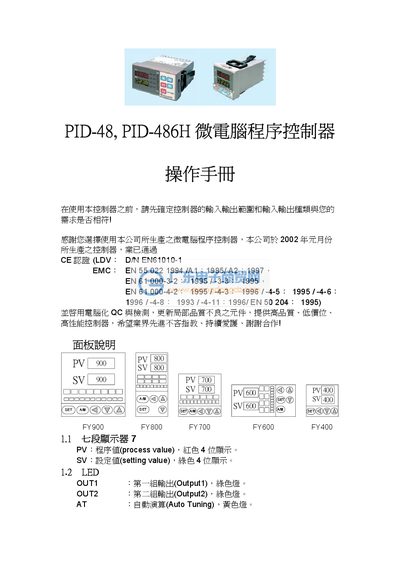
PID-48 / PID-486H Microcomputer Program Controller Operating Manual
This manual explains the front‑panel indicators, keys, and LEDs of the PID‑48 / PID‑486H microcomputer program controller. It describes the meaning of each indicator (e.g., AT for Auto‑Tuning, PRO for program execution) and provides step‑by‑step instructions for navigating the four operating levels (User, PID, Input, and Set).
Detailed sections cover input type selection, output calibration, auto‑tuning parameters, alarm configuration, and advanced functions such as RAMP and SOAK. Error messages and their causes are listed, along with recommended corrective actions. This manual is written in Japanese.
Covers: Panel Description · LED Indicators · Key Functions · Auto‑Tuning (AT) · Error Messages · Operation Levels
Latest PID-48 manuals
PID-48 / PID-486H Microcomputer Program Controller Operating Manual
User Manual 13 pages · 377 KB · JAOperating manual for the PID-48 and PID-486H microcomputer program controllers, covering panel functions, settings, and troubleshooting.
Which document do I need?
User Manual
Day-to-day operation, settings and troubleshooting. Start here if the product is already set up.
Questions answered in PID-48 manuals
What does the AT indicator mean?
AT indicates Auto‑Tuning mode and is shown by a yellow lamp on the panel.
From: PID-48 / PID-486H Microcomputer Program Controller Operating Manual
How do I enter Level 2 (PID Level)?
Press and hold the SET key for 5 seconds while in Level 1 to switch to Level 2.
From: PID-48 / PID-486H Microcomputer Program Controller Operating Manual