
The STC download is fully compatible with the serial port download of Hongjing Technology. It can download the program to the STC single chip through the USB interface, and the entire download is powered by the USB port.
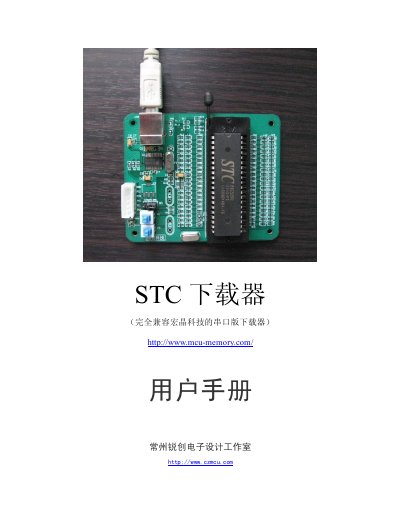
The USB Interface STC Downloader is a programmer designed for STC12 series (20‑pin/28‑pin) and STC89 series (40‑pin) microcontrollers. It connects to a PC via a USB cable, supplies power to the target MCU, and provides signal lines for GND, TXD, RXD, VCC, P1.0 and P1.1.
The manual explains how to install the driver from the supplied CD, connect the USB cable, select the MCU type and program file in the host software, and control power and reset switches (K1, K2) for successful ISP programming. Detailed hardware wiring and voltage selection (5 V or 3.3 V) are also described. This manual is written in Chinese.
| Supported MCU series | STC12 20‑pin/28‑pin, STC89 40‑pin |
|---|---|
| Power supply selection | 5 V or 3.3 V via JP1 jumper |
| USB interface | Provides data connection and powers the downloader |
Insert the supplied CD, open the "STC下载器驱动" folder and run the driver installer; follow the prompts to complete installation.
In the host software, choose the appropriate MCU type such as STC89C54RD or STC89C58RD+ from the model list before loading the program file.
Press the K1 switch to supply power to the MCU; ensure K2 is set correctly for ground connections, then the MCU enters ISP mode.