
This manual introduces the installation, use and maintenance methods of the T series products, and details the device's unpacking inspection, cable connection, basic operation, main menu, common problems and answers
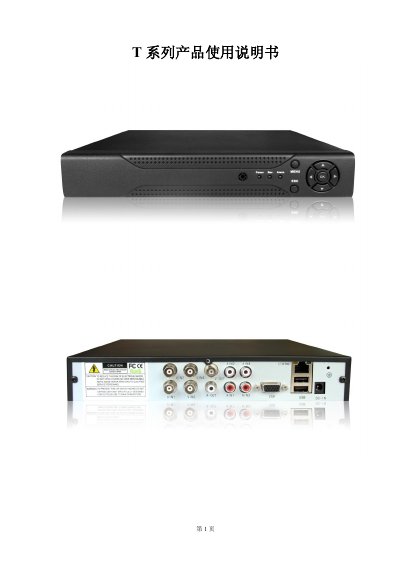
This manual provides detailed instructions for installing, configuring, and operating the T series digital video recorder used in security monitoring. It includes safety precautions, environmental requirements, and step‑by‑step guidance for hardware setup, cable connections, and system configuration.
The document also describes the main menu functions, recording and playback features, alarm settings, network configuration, and routine maintenance procedures. Appendices cover remote‑control usage, mouse operation, and hard‑drive capacity calculations. This manual is written in Chinese.
| Operating temperature | 0 °C to 40 °C |
|---|---|
| Maximum hard‑drive capacity | 2 TB |
| Video compression algorithm | H.264MP |
| Video input connector | BNC (PAL/NTSC) |
| Video output interfaces | 1 BNC and 1 VGA simultaneous output |
| Rack size | Standard 1U |
| Hard‑drive slots | 1 (capacity unlimited) |
The device should be placed and used within 0 °C to 40 °C.
The recorder supports up to 2 TB of hard‑drive storage.
Video input is provided via a BNC connector supporting PAL/NTSC signals.
One hard drive can be installed, with no limit on its capacity.