
LG8 series user manual, introduces the characteristics and usage methods of LG8 series barcode machine
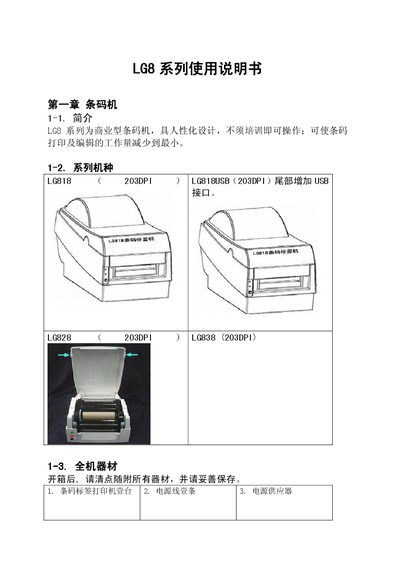
The LG8 series barcode printers (models LG818, LG828, LG838) are commercial‑type label printers with a human‑friendly design that requires no training. They support 203 dpi resolution, multiple barcode symbologies, and USB or parallel interfaces.
The manual covers unpacking, hardware layout, software installation, technical specifications, standard part diagrams, troubleshooting steps, and contact information for support and firmware downloads. This manual is written in Chinese.
| Resolution | 203 dpi (8 dot/mm) |
|---|---|
| Print speed | 27 TPS |
| Print length | 12 mm ~ 1200 mm |
| Print width | 25 mm ~ 104 mm |
| Power supply | 100/240 VAC, 50/60 Hz |
| Operating temperature | 40 °F ~ 104 °F (5 °C ~ 40 °C) |
Check that the power cable is properly connected.
Adjust the print darkness setting and clean the print head to remove any residual glue or carbon residue.