
This document provides installation and usage instructions for the BMW CIC and Audi 2010 interface boxes, including supported car models and resolutions, function settings, and wiring instructions.
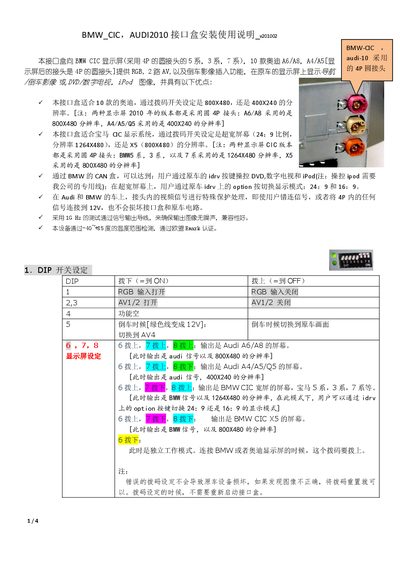
This guide explains how to install the CIC Interface Box in BMW and Audi vehicles. It covers wiring the 4‑pin and 6‑pin connectors, setting DIP switches for different screen resolutions, and connecting the CAN box for vehicle control functions.
The document also details operation of the side buttons for image adjustment, source selection (DVD, TV, iPod), and automatic rear‑camera switching, as well as troubleshooting tips for incorrect DIP settings and missing control signals. This manual is written in Chinese.
| Temperature Operating Range | -40 °C to +85 °C |
|---|---|
| EU iMark Certification | Certified |
| Compatible Audi Models | A6, A8, A4, A5, Q5 |
It operates safely from –40 °C up to +85 °C.
No, the DIP switches can be changed without powering the box off.