
Primare CD22 user manual, introduces how to connect CD22 to preamplifier, connect power supply, play CD and other operations
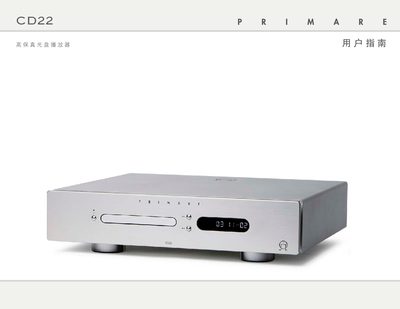
The manual begins with a list of supplied accessories and detailed instructions for connecting the CD22 to a pre‑amplifier or digital processor via RCA analog outputs, SPDIF coaxial or TOSlink optical outputs, and power wiring. It also explains remote‑control battery installation and basic playback functions such as tray operation, play, pause, stop, and track navigation.
Later sections cover advanced features like display brightness, time‑display modes, repeat, random playback, up‑sampling selection, and infrared or trigger input configuration. The document ends with technical specifications, safety warnings, and warranty information. This manual is written in Chinese.
| Analog Output | 2VRMS, 100Ω |
|---|---|
| Digital Output | SPDIF (RCA) and TOSlink |
| Upsampling Sample Rates | 44.1kHz, 48kHz, 96kHz, 192kHz |
| Frequency Response | 20 Hz – 20 kHz (-0.5 dB) |
| Signal‑to‑Noise Ratio | -100 dB |
| THD+N | <0.01 % (20 Hz‑20 kHz) |
| Power Consumption (Run) | 25 W |
| Dimensions | 430 × 375 × 106 mm (W × D × H) |
| Weight | 10.5 kg |
Turn on the rear‑panel power switch and press the O button on the front panel or remote control.
Connect an RCA cable from the CD22’s analog output to the pre‑amplifier’s RCA input.
Press the red R button and select 44.1 kHz, 48 kHz, or 96 kHz (recommended) as the output sample rate.
Do not open the chassis, disconnect the power before cleaning, and keep the unit away from water and fire sources.