
Key facts
- Manuals
- 1
- Languages
- ZH
- Last added
- 2012-03-09
Featured CD22 manuals
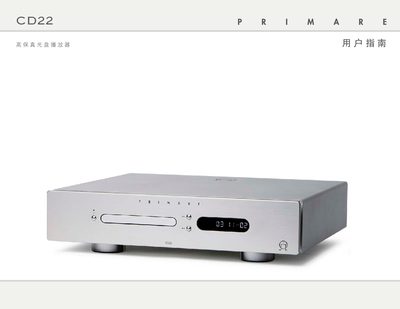
Primare CD22 Optical Disc Player User Manual
The manual begins with a list of supplied accessories and detailed instructions for connecting the CD22 to a pre‑amplifier or digital processor via RCA analog outputs, SPDIF coaxial or TOSlink optical outputs, and power wiring. It also explains remote‑control battery installation and basic playback functions such as tray operation, play, pause, stop, and track navigation.
Later sections cover advanced features like display brightness, time‑display modes, repeat, random playback, up‑sampling selection, and infrared or trigger input configuration. The document ends with technical specifications, safety warnings, and warranty information. This manual is written in Chinese.
Covers: Package Contents · Connections · Power On/Off · Playback Controls · Remote Control · Advanced Functions
Latest CD22 manuals
Primare CD22 Optical Disc Player User Manual
User Manual 10 pages · 1.1 MB · ZHThe Primare CD22 user manual provides setup, connection, and operation instructions for the high‑definition optical disc player.
Which document do I need?
User Manual
Day-to-day operation, settings and troubleshooting. Start here if the product is already set up.
Questions answered in CD22 manuals
How do I power on the CD22?
Turn on the rear‑panel power switch and press the O button on the front panel or remote control.
How can I connect the CD22 to a pre‑amplifier?
Connect an RCA cable from the CD22’s analog output to the pre‑amplifier’s RCA input.