
Quad MVCL2GE-B User Manual. This manual introduces the use of Quad MVCL2GE-B. Including setting relevant parameters, selecting TTL as frame, line trigger, enabling PG (internal controller), setting B camera into working mode 3, setting D camera into working mode 3, setting horizontal and vertical offset, setting frame trigger signal delay, setting the height of a frame, etc.
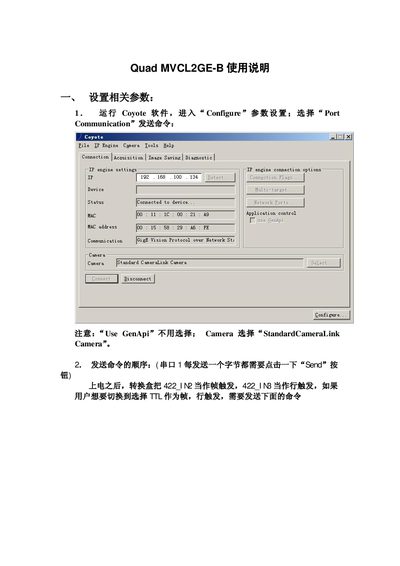
This manual explains how to set up the MVCL2GE‑B converter, including parameter configuration, serial communication settings, and camera selection. It guides the user through sending commands via the two serial ports and adjusting trigger signals for frame and line operation.
Advanced configuration options such as setting horizontal/vertical offsets, frame height, and enabling internal controller functions are also covered, along with notes on the required command formats and connector usage. This manual is written in Chinese.
| Serial Port 1 Baud Rate | 115200 |
|---|---|
| Serial Port 0 Baud Rate | 9600 |
Send the command "//{ 串口 1,115200,Hexadeci nal ) 选择像机 B a6 -- 00 -- 03 -- 0d -- 0a" over Serial Port 1.
Serial Port 1 operates at a baud rate of 115200.
Use the command "ag -- 00-- 18-- od -- oa" to set the frame trigger delay.