
This article introduces the wireless remote control method of Mackie TT24, which requires a TT24, a local PC, a PC laptop and a wireless network
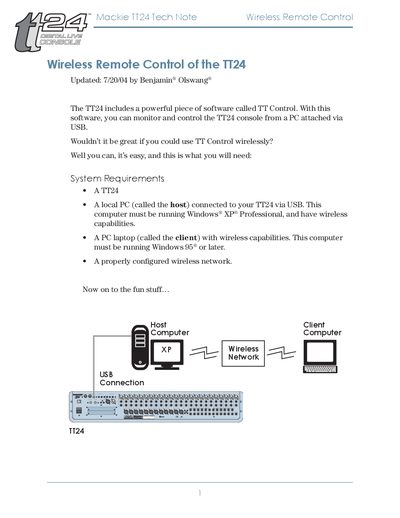
The document describes the wireless remote control solution for the Mackie TT24 console. It lists the system requirements: a host PC running Windows XP Professional with wireless capability, a client PC running Windows 95 or later with wireless capability, and a properly configured wireless network.
It then provides step‑by‑step procedures to configure the TT24 and host PC, enable Remote Desktop, install the Remote Desktop client on the client computer (including using an XP CD or downloading the installer), start a remote desktop session, launch the TT Control software, and control the console remotely.