
A user guide, introducing the usage of PressDisplay, including the home page, customization, reading last week's newspapers, and smart navigation features.
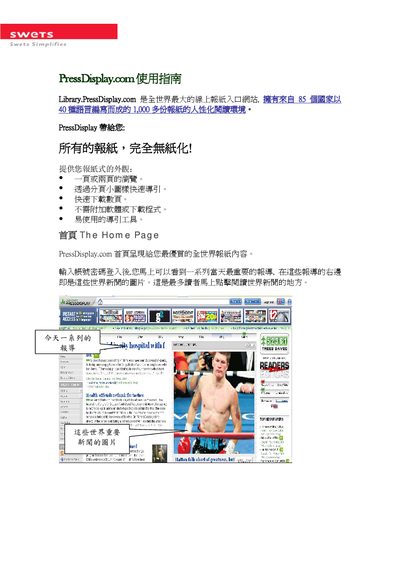
PressDisplay.com is an online newspaper portal with newspapers from 85 countries in 40 languages. This guide describes the home page, customization options, smart navigation, and content management features.
It explains browsing and reading publications, printing, advanced search and Monitor alerts, listening to articles, and sharing articles by email, blog, or RSS. This manual is written in Chinese.
Click Select Language above your favorite newspapers on the right side of the screen, choose a language, and click OK.
In plain text view, click the listen icon; the article plays in your Media Player. You can translate the article first and then listen in the chosen language.