
The Swets PressDisplay Reader User Manual explains how to browse, translate, and listen to online newspaper content using the PressDisplay service.
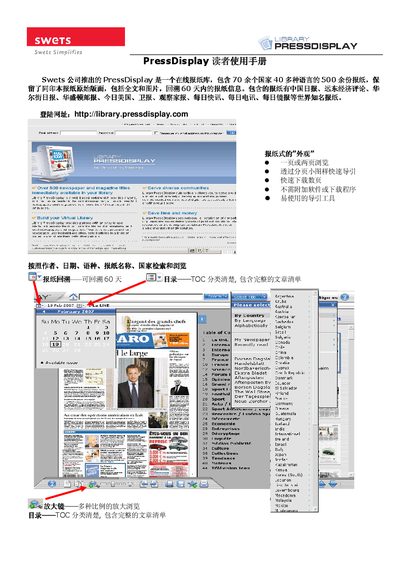
PressDisplay is an online newspaper library offering over 500 newspapers from more than 70 countries in 40+ languages, with full‑page layouts, text, and images retained for up to 60 days of back‑search.
The manual describes how to navigate the library, use the Smart Navigation features, translate articles into up to 11 languages, play audio versions, share via email, print, blog, and subscribe to RSS feeds. This manual is written in Chinese.
| Supported languages | 40+ |
|---|---|
| Number of newspapers | 500+ |
| Countries covered | 70+ |
| Retention period | 60 days |
Select the article and choose a language from the translation options (up to 11 languages).
Hover over the article and click the audio icon; playback occurs in Windows Media Player.
In text mode, click the print icon to print the selected article.
Contact Swets Beijing office at 010 5162 7536/38-206 or email [email protected].